Search and filter
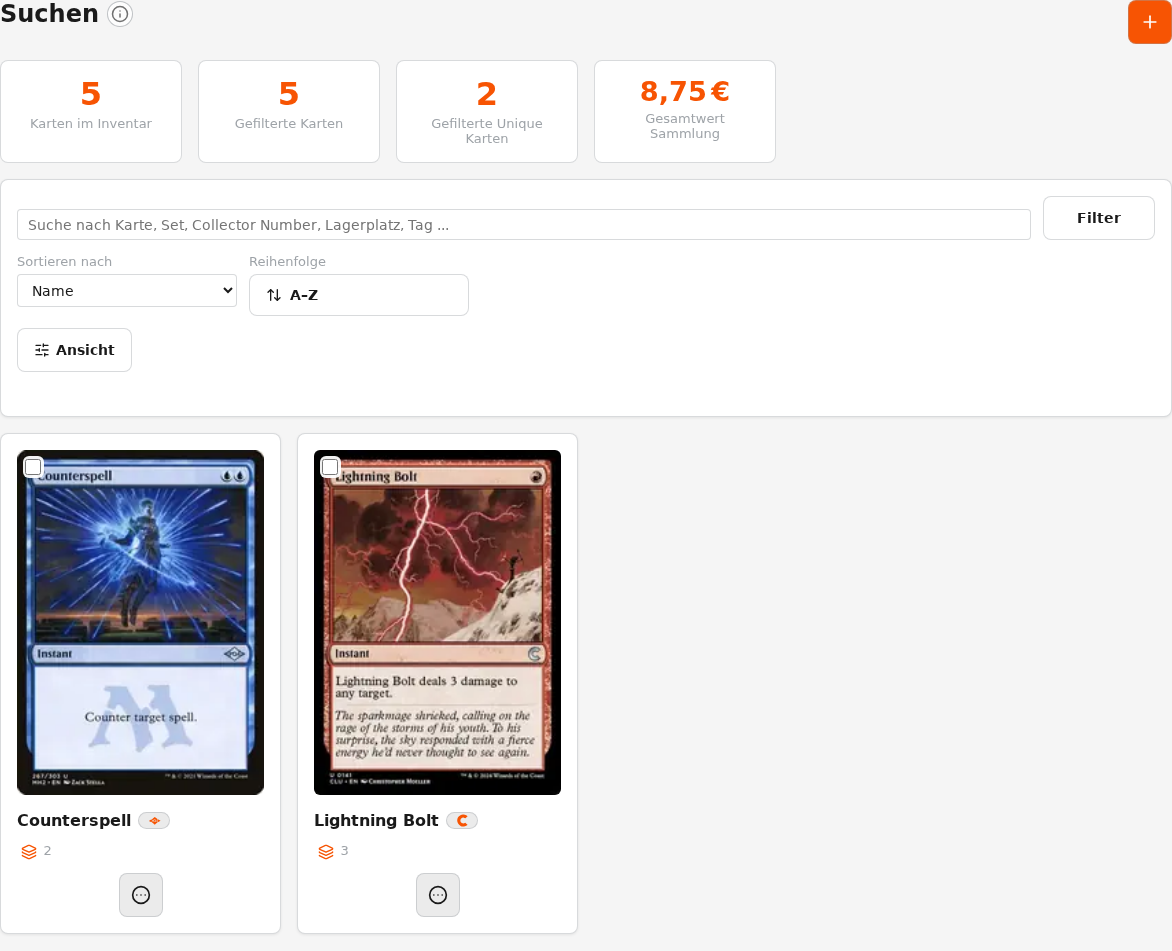
Find cards by name, set, or Collector Number and narrow the results with additional filters.
TCG System Inventory
Manage your card inventory digitally while keeping a traceable connection to the physical locations in your collection.
Manage digitally, find physically
A digital Inventory becomes truly useful when it helps you find the physical card again. TCG System therefore manages not only card names and quantities, but also the connection to your physical storage locations.
You can create boxes, binders, or other storage locations in the app and assign cards to them. When you later search for a card, you see not only that you own it, but also where the individual copies are stored.
Review before transfer
The machine and Inventory are deliberately separated. A sorting run first produces recognitions and physical results. Only in Review & Transfer do you decide which cards are added to Inventory or how existing cards are moved.
This keeps uncertain recognitions under control instead of automatically turning them into incorrect inventory data.
Search and find
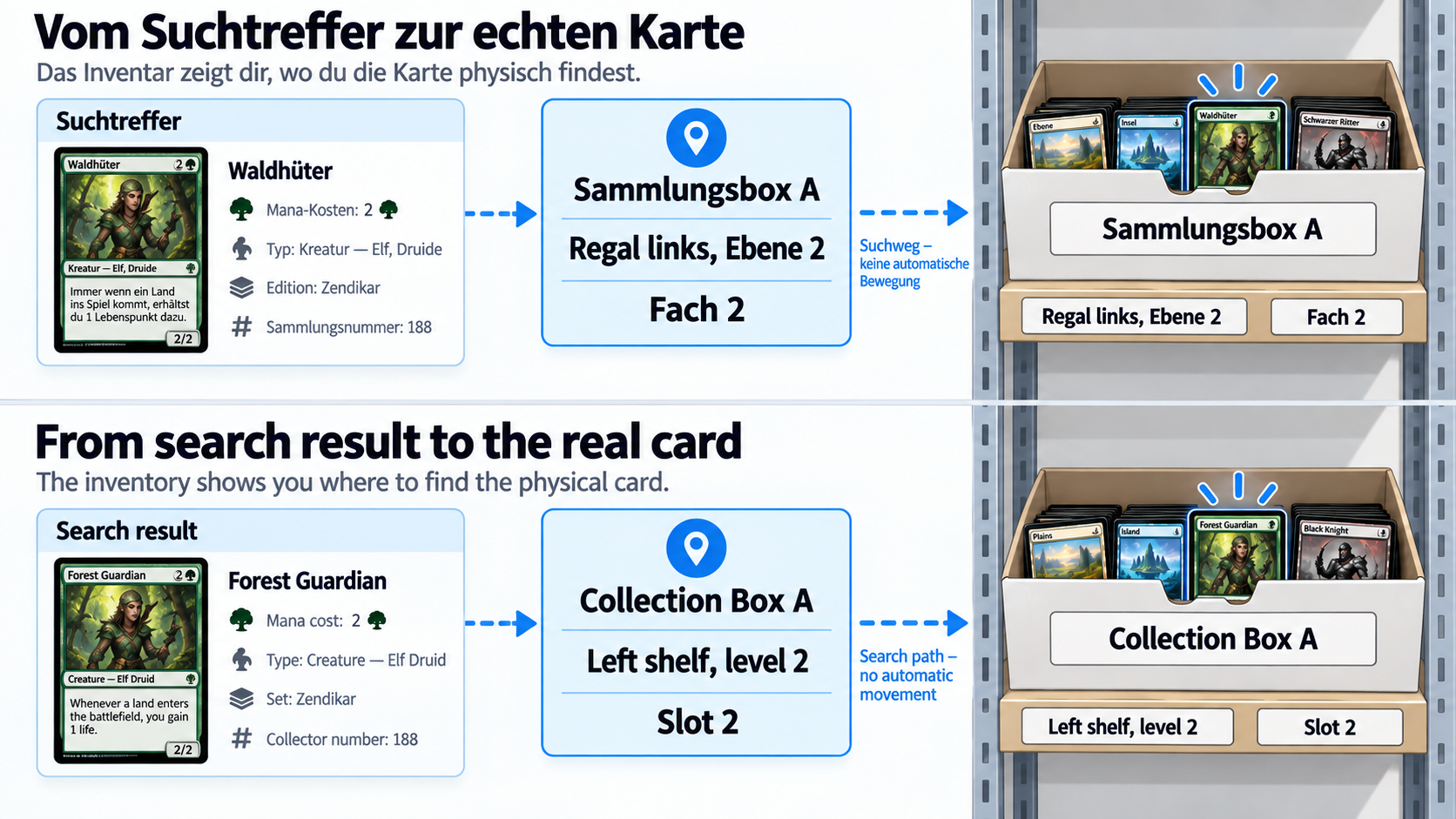
Search cards by name, set, or Collector Number and check not only the quantity, but also the assigned storage location. This connects the digital entry back to the physical card.
Storage locations
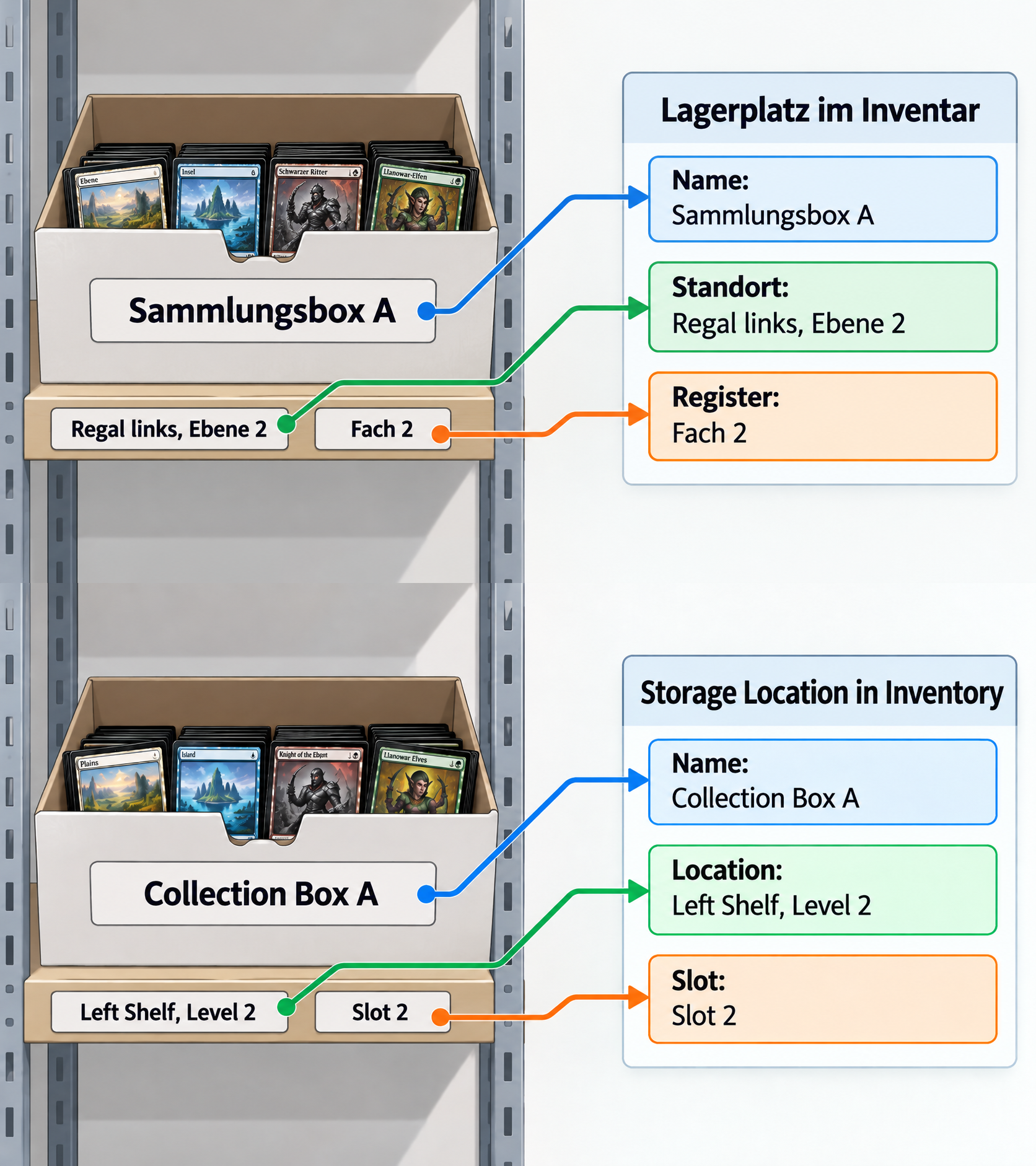
Storage locations represent your physical collection. A box on a shelf, a binder, or another type of storage can have its own name, physical location, position note, and additional information in the app.
One thing remains important: changing a location in the app is a digital booking. If you move cards to a different storage location digitally, you also need to move the physical cards.
Inventory features
Find cards by name, set, or Collector Number and narrow the results with additional filters.
Create boxes, binders, or other storage locations and assign cards to them.
Review completed sorting runs before adding new cards or moving existing cards between storage locations.
See which inventory movements and changes were recorded most recently.
Record cards without a machine run and assign them to a storage location when needed.
Move individual cards or subsets to another storage location.
Record how a card copy is being used without automatically changing its storage location.
Re-sort inventory already recorded in a source storage location without counting those cards as new copies.
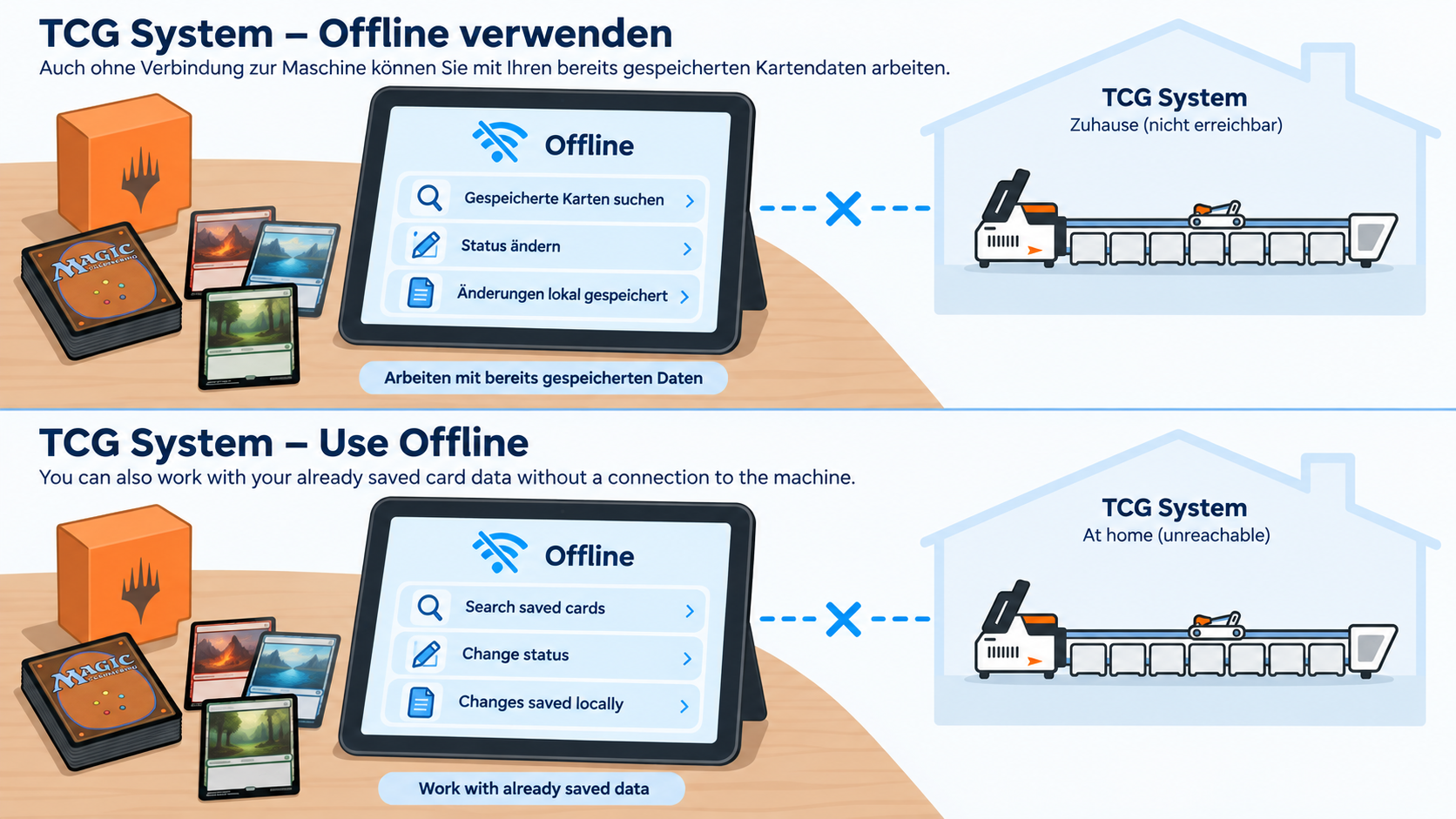
Work locally and synchronize
Inventory data already stored on your smartphone, tablet, or computer can be viewed and edited even without a connection. Card images that have not been stored locally are not available offline.
Pending local changes are transferred when a connection is available. Check the current state and any outstanding operations in the sync status; from there, you can start another synchronization when needed.
Understand how Inventory and storage locations work together
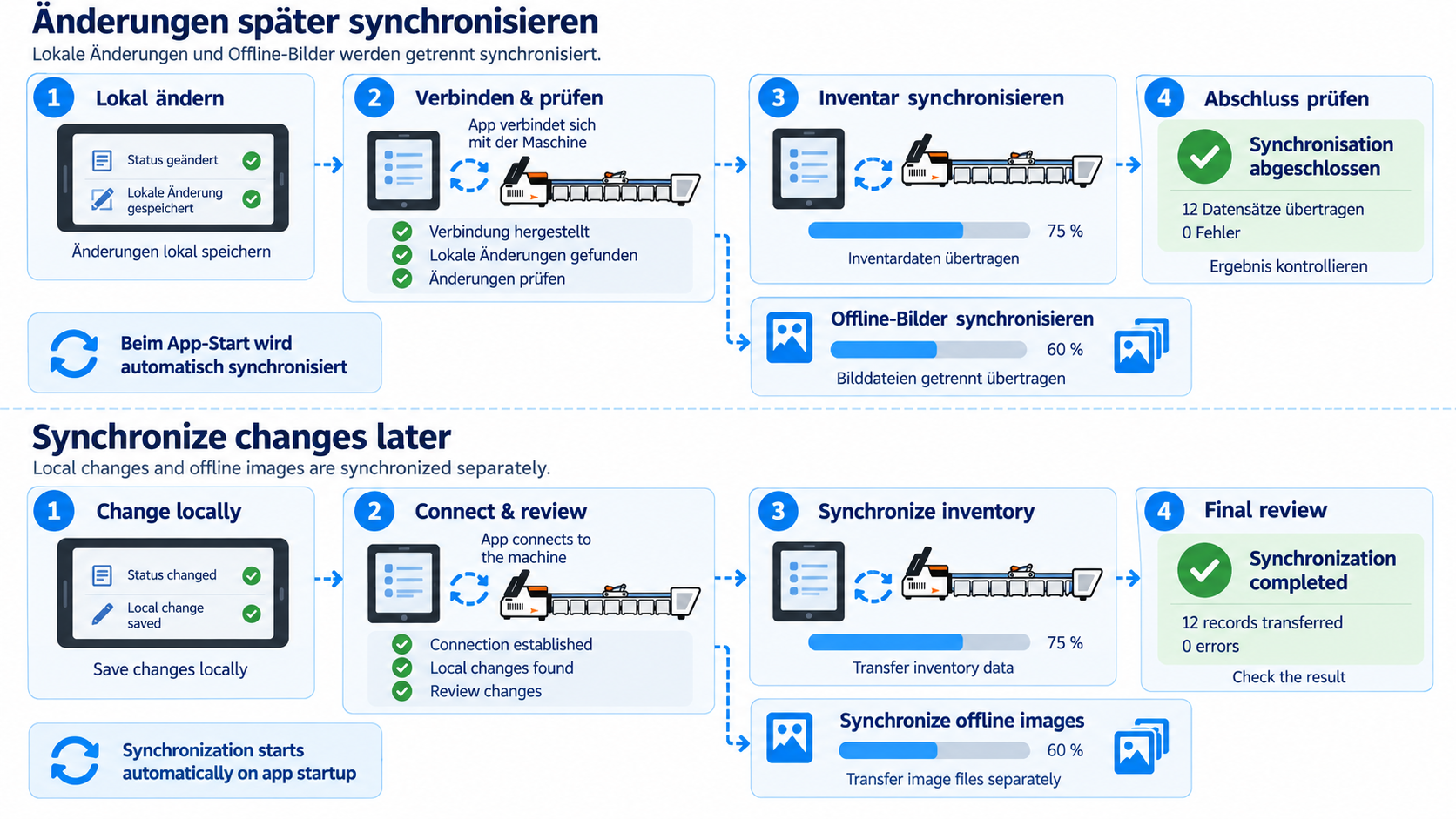
Keep card data up to date
A full card-data sync updates metadata, card images, and the local recognition data generated from them. While a sorting run is active or paused, synchronization is blocked so that the two processes remain separate.
The sync can be started manually when needed or optionally triggered the next time the backend starts. This keeps the card inventory on the device traceable against the data version being used.
Read the documentation or see how the TCG card sorter extends the workflow.