
Load the cards
Load the stack of cards for the sorting run.
TCG System
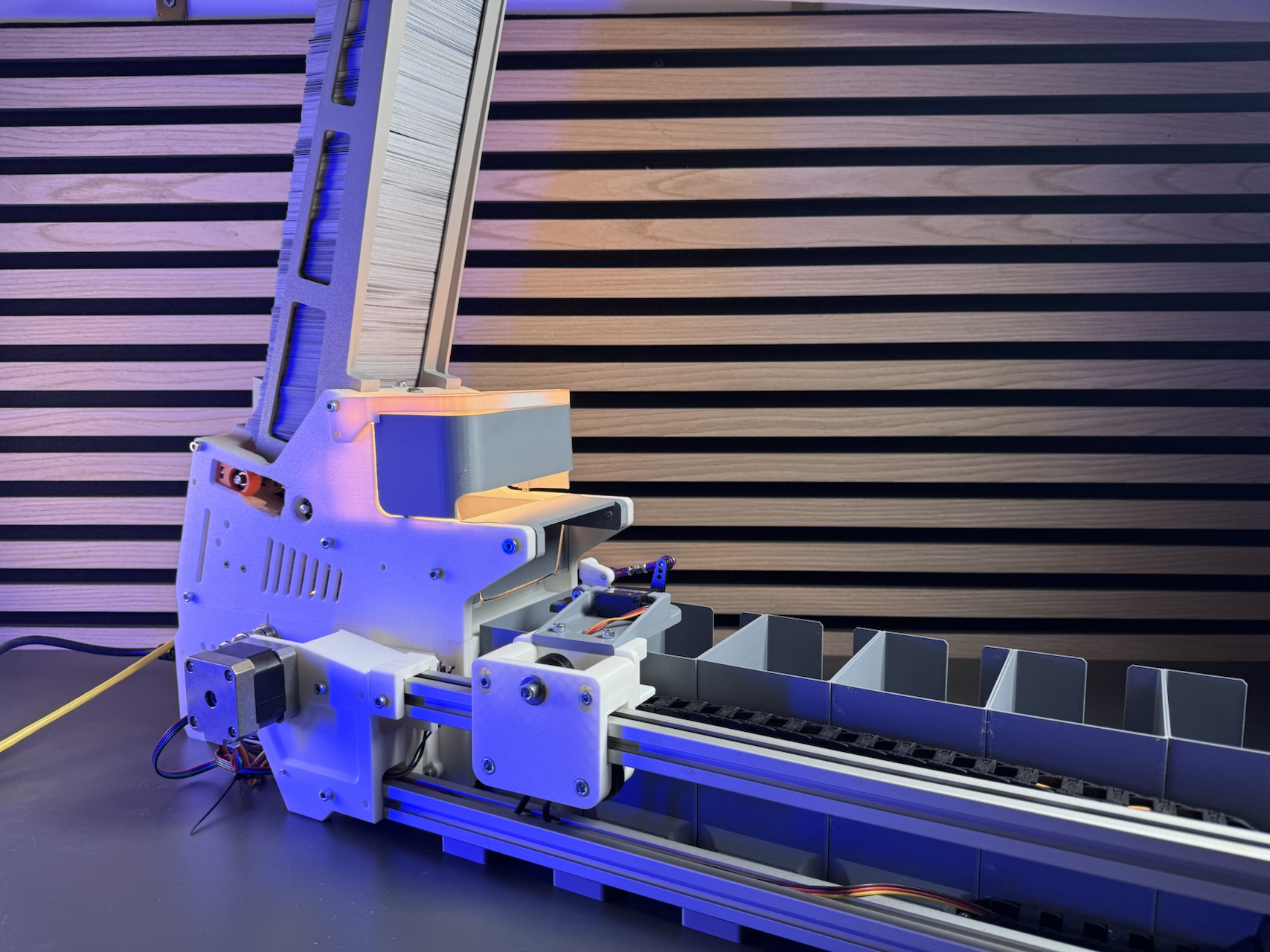
TCG System connects physical card sorting with a local app and Inventory, creating a traceable workflow from a stack of cards to a real storage location.
Sort cards, stay in control
Sorting large stacks of cards by hand is slow and prone to mistakes. TCG System handles the repetitive part of this process: cards are captured individually, recognized, and distributed across six destination bins according to the selected sorting profile. Results that should not enter the normal workflow with certainty are kept separate in a seventh Eject/Review bin.
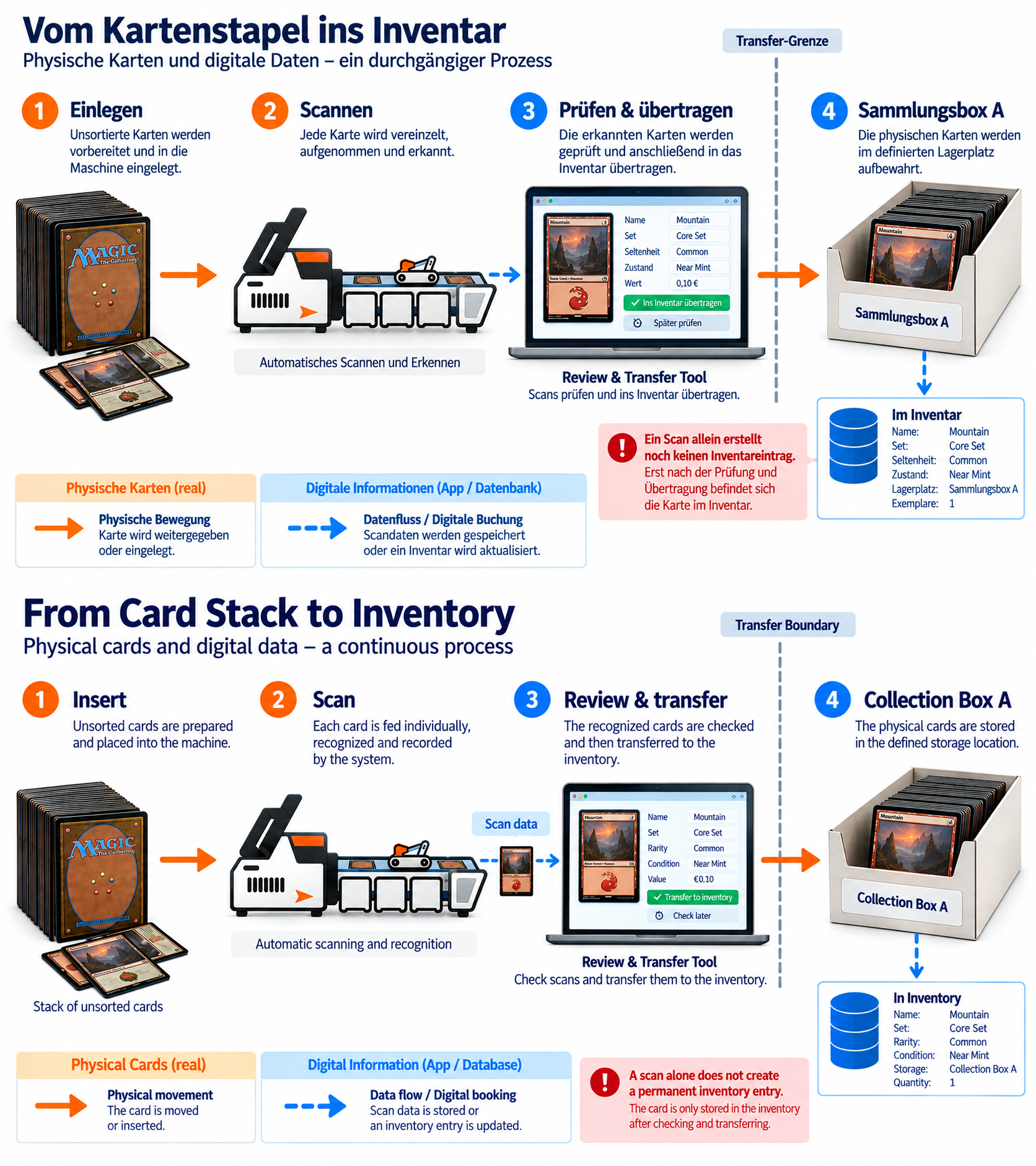
You remain in control after the sorting run. In Review & Transfer, you can check recognized cards and then transfer them to the digital Inventory or assign cards that already exist in Inventory to a new storage location.
TCG System is an expandable card sorting system for Trading Card Games. The current version is designed for Magic: The Gathering. Additional TCGs are intended to be added over time and are only considered supported once they have actually been released.
Why TCG System?
The goal is not simply to move cards from one stack to one bin. Sorting profiles define the physical destinations, Review & Transfer keeps the transfer process controlled, and Inventory makes the later storage location easy to find again.
This is how the machine, app, and collection work together, from an unsorted stack to a known card in a real storage location.
Learn how TCG System developed from the original scanner project
How it works
Load the stack of cards for the sorting run.
TCG System captures the cards one by one and assigns them to the active run.
The selected profile determines which of the six destination bins receives each card.
Cards that should not enter the normal workflow remain in the separate Review bin.
Check the results of the run before transferring them.
Transferred cards are assigned to a real storage location in Inventory.
Sorting profiles
The available sorting criteria depend on the supported card game and the card data available for it. Magic: The Gathering already has game-specific sorting profiles.
In addition to predefined profiles, custom rules can be built when enabled, using criteria such as card name, color, set, rarity, card type, mana value, collector number, finish, or price.
View the technical overview of sorting rules · See details of the current Magic sorting profiles
Six destinations plus Review
TCG System uses six regular destination bins and a separate seventh bin for cards that should not enter the normal workflow. This lets you sort cards into several groups while keeping uncertain or unmatched cases separate.
More complex sorting workflows can be built across multiple runs with suitable profiles.
Machine and Inventory
The physical sorting run is only one part of the system. In Inventory, you can see which cards you own, where they are stored, and which status individual copies have. A card is therefore not only known digitally, but can also be located physically.
Learn more about current Magic support, Inventory, or the technical specifications.